Your agents run even when you close the lid.
LidAwake is a free menu bar app for MacBooks. Click the cup, close the lid, and Claude Code, Codex or Droid keep working through the night.
Paste this into Claude Code, Codex or Droid
Install LidAwake for me (from GitHub)
On your iPhone? Copy it here and paste it on your Mac. Universal Clipboard carries it across.
or download the zip (zip · 0.7 MB · v0.4.0)
- Free and open source
- macOS 14 or later
- Apple silicon and Intel
- No network code
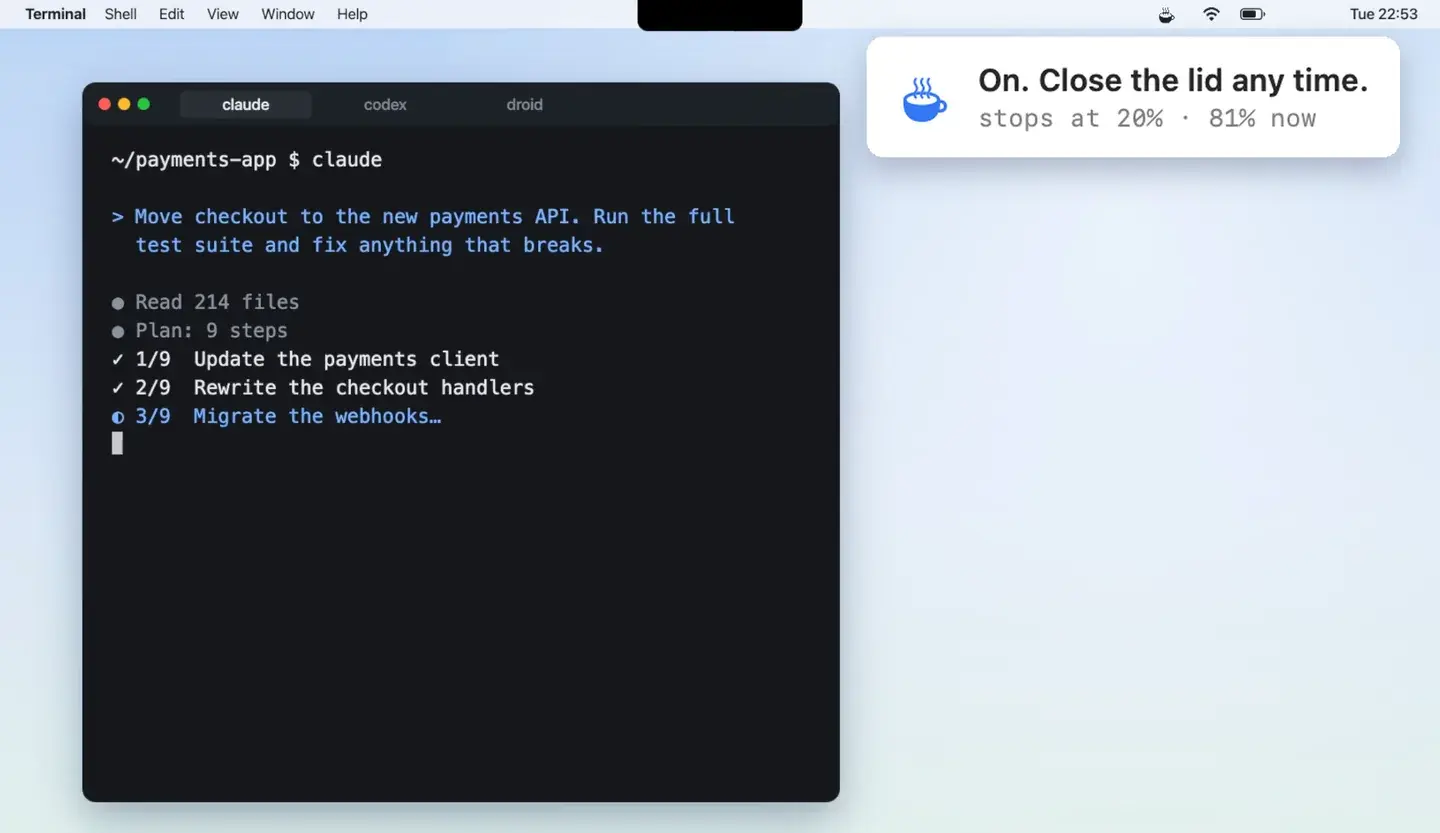
One night · Oct 13–14, 2026
- 22:54Lid closed80%
- 01:08Battery74%
- 03:19Battery72%
- 07:25Lid opened68%
How it works
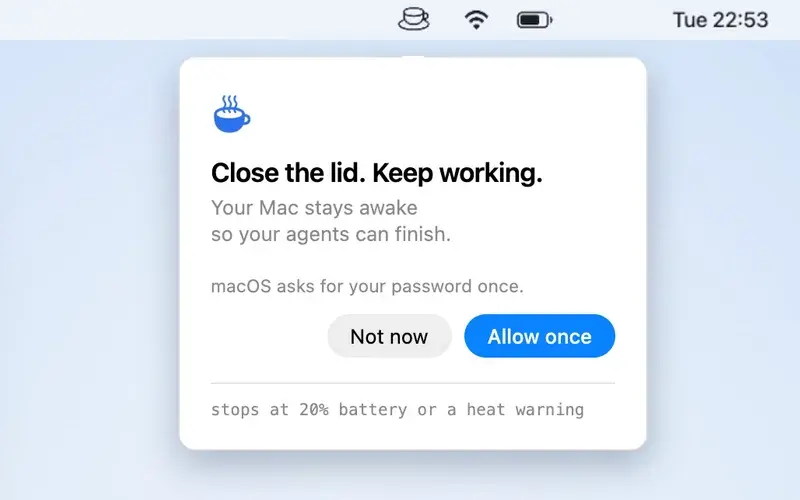 1
Allow once
The first time, a panel drops down from the cup. Click Allow once and type your Mac password. You do this one time.
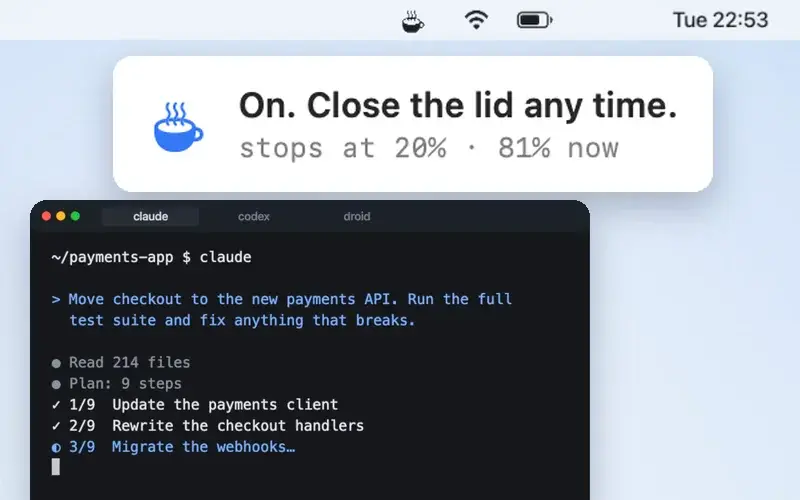 2
Click the cup
It starts steaming. Closed-lid mode is on.
 3
Close the lid
Your agents keep working. Click the cup again when you are back, and the Mac sleeps normally.
Safe by design
caffeinate stops idle sleep, not lid sleep.
caffeinate, keep-awake timers and the keep-awake settings inside agent apps stop the Mac from sleeping while it sits idle. When you close the lid, a MacBook still sleeps, unless an external display is plugged in.
The setting that stops lid sleep is pmset -a disablesleep 1. It stays on after a restart, so the hard part is remembering to turn it off. LidAwake turns it off every way you leave.
caffeinate
Lid closes
Mac sleeps
LidAwake
Lid closes
Keeps running
It turns itself off
- BatteryAt the battery level you pick. 20% unless you change it.
- HeatWhen macOS reports a serious heat warning.
- SwitchWhen you click the cup or quit the app.
- CrashIf the app crashes, a watchdog turns normal sleep back on within about a minute, and sleeps the Mac if the lid is shut.
Each time, it puts the Mac to sleep. Keep it on a hard surface with air around it, not in a bag.
What it changes on your Mac
Read this before you click Allow once.
# The whole rule is one line
you ALL=(root) NOPASSWD: /usr/bin/pmset -a disablesleep 0, /usr/bin/pmset -a disablesleep 1
A sudoers rule for your user, for two commands only
/etc/sudoers.d/lidawake
So the cup can run pmset without a password each time
A watchdog
~/Library/LaunchAgents/space.thelaunch.lidawake.watchdog.plist
Turns normal sleep back on if the app dies
A log
~/Library/Logs/LidAwake.log
The place to look when something goes wrong
No network code and no analytics. The code is on GitHub under the MIT licence. Read the code
What it cannot fix
- Keeping the Mac awake does not keep it online. If you leave your Wi-Fi, agents that need the internet stop.
- An agent that is waiting for your permission, or has run out of usage, stays stuck with the lid open or closed.
- If the Mac restarts while the switch is on, it stays awake at the login screen until you log in.
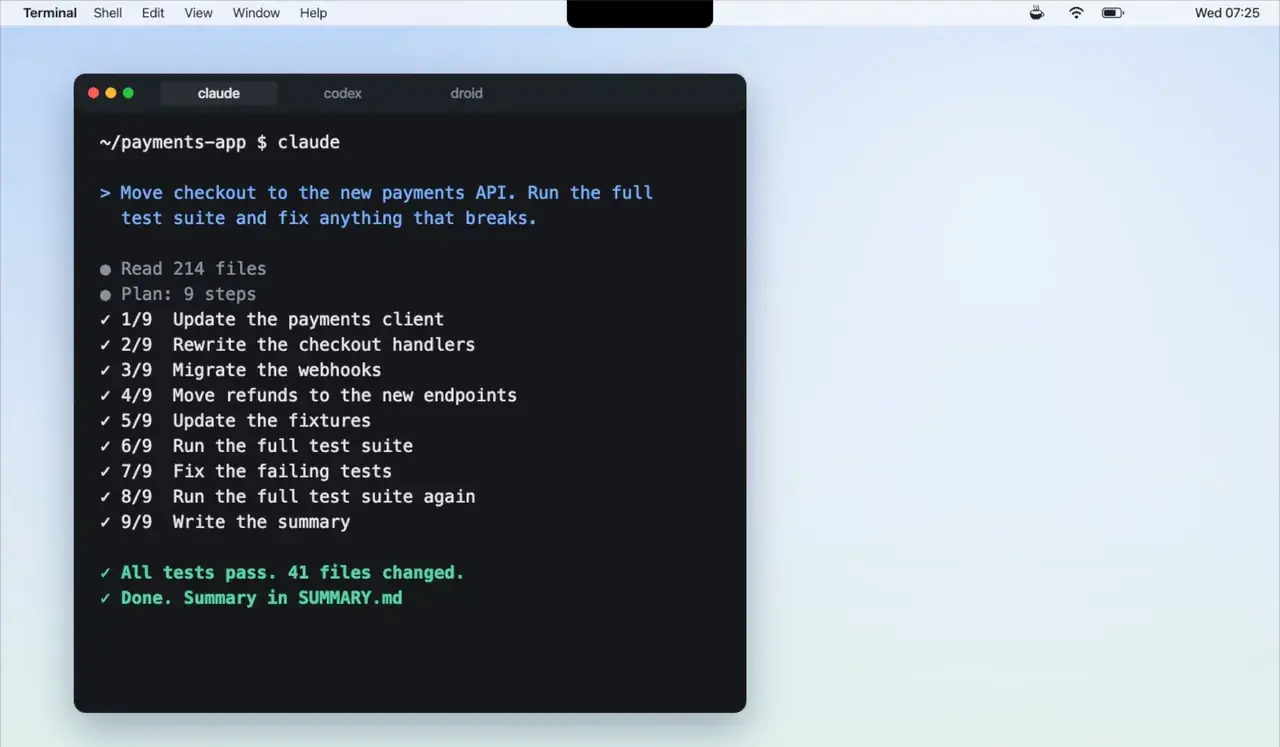
Your Mac stayed awake 8h 31m with the lid closed.
22:54 to 07:25 · battery 80% to 68%
Close the lid. Keep working.
Paste this into Claude Code, Codex or Droid
Install LidAwake for me (from GitHub)
or download the zip (zip · 0.7 MB · v0.4.0)
macOS blocks the first open of a downloaded app it does not know. Go to System Settings, then Privacy & Security, and click Open Anyway.